

Welcome to FactsFanatics. As an Amazon Associate, we earn from qualifying purchases (at no cost to you) from links found within these pages if you choose to buy something.
The era of grainy, pixelated video calls is officially behind us. As remote work transitions from a temporary fix to a permanent way of working, demand for high-quality video conferencing tools has surged. While 1080p has long been the standard, and 4K captures the headlines for premium setups, a new contender has emerged as the perfect middle ground for professionals and content creators alike: the 2K webcam.
Whether you are leading a team meeting on Microsoft Teams, teaching online classes, or starting your live-streaming journey, picture quality matters; it dictates how you are perceived by colleagues and audiences. A sharp, clear image conveys professionalism, while a blurry feed can be a distraction.
In this guide, we dive deep into the world of 2K webcams. We will explore why this resolution might be the "sweet spot" for your PC setup, review top contenders like the Dell WB5023 and the GUSGU G910, and break down the essential features, from auto focus to privacy protection, that you need to know before you plug and play.
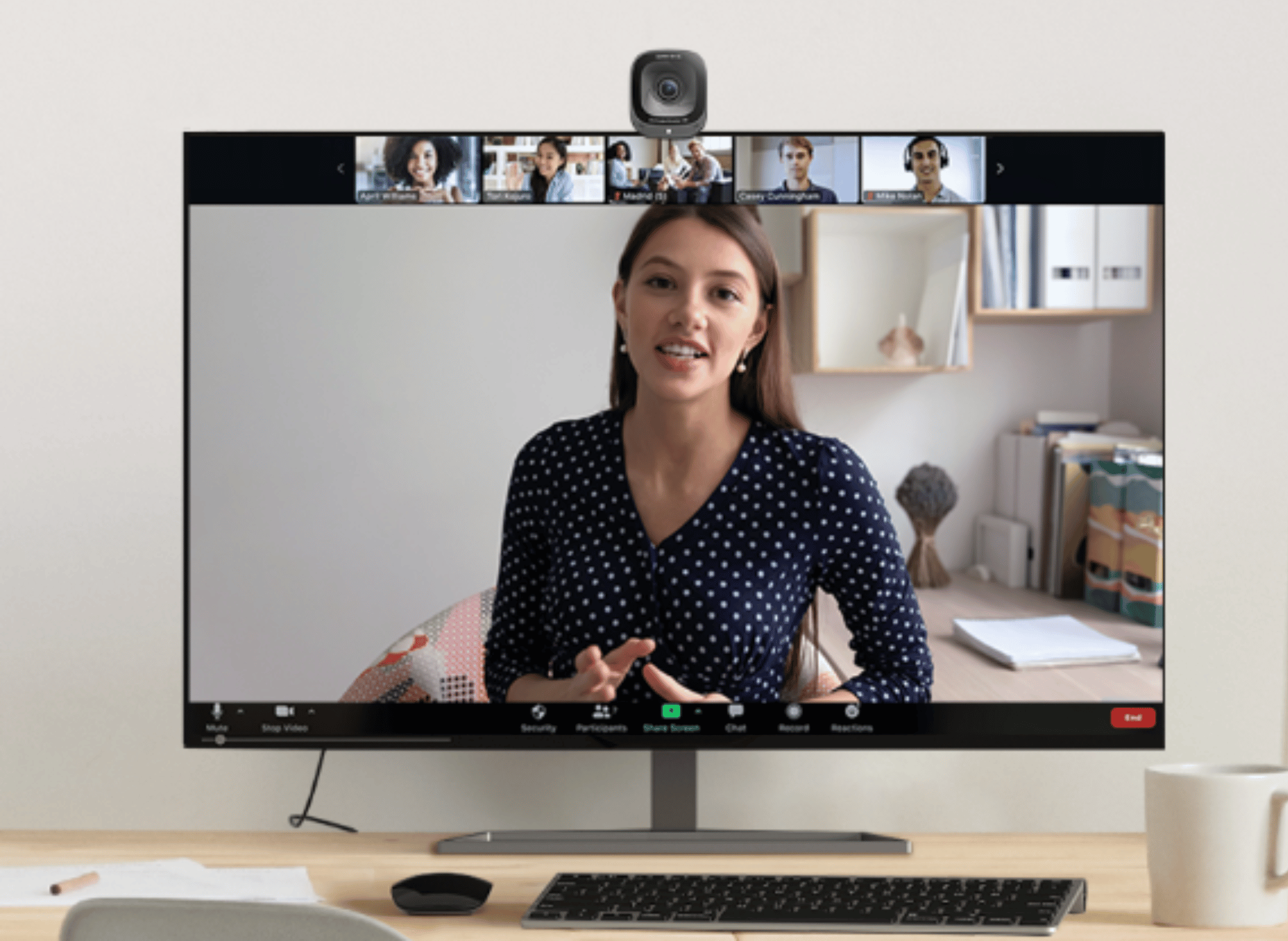
Why Choose 2K Over 1080p or 4K?
When shopping for a new webcam, resolution is usually the first spec listed. But what does 2K actually mean for your daily video calls, and is it worth the investment over a standard HD model?
Finding the Resolution Sweet Spot
Standard HD webcams typically offer 1080p resolution (1920 x 1080 pixels). While decent, they can struggle to capture fine details, often resulting in a softer image, especially on larger monitors.
On the other end of the spectrum, 4K webcams offer incredible detail but come with significant downsides: they are expensive, require high-speed internet bandwidth to transmit effectively, and can tax your computer's processing power.
2K QHD resolution (typically 2560 x 1440p) sits comfortably in the middle. It offers significantly sharper image quality than 1080p, providing more clarity for presentations and facial expressions, without the heavy data and hardware requirements of 4K.
Who Benefits from 2K?
- Remote Professionals: If you spend your day on Zoom or Skype, 2K ensures you look sharp and professional without lagging your connection.
- Content Creators: For streamers who use picture-in-picture modes, 2K provides ample resolution for cropping and zooming without losing fidelity.
- Educators: Teachers conducting online classes benefit from the ability to show physical documents or whiteboards with legible text.
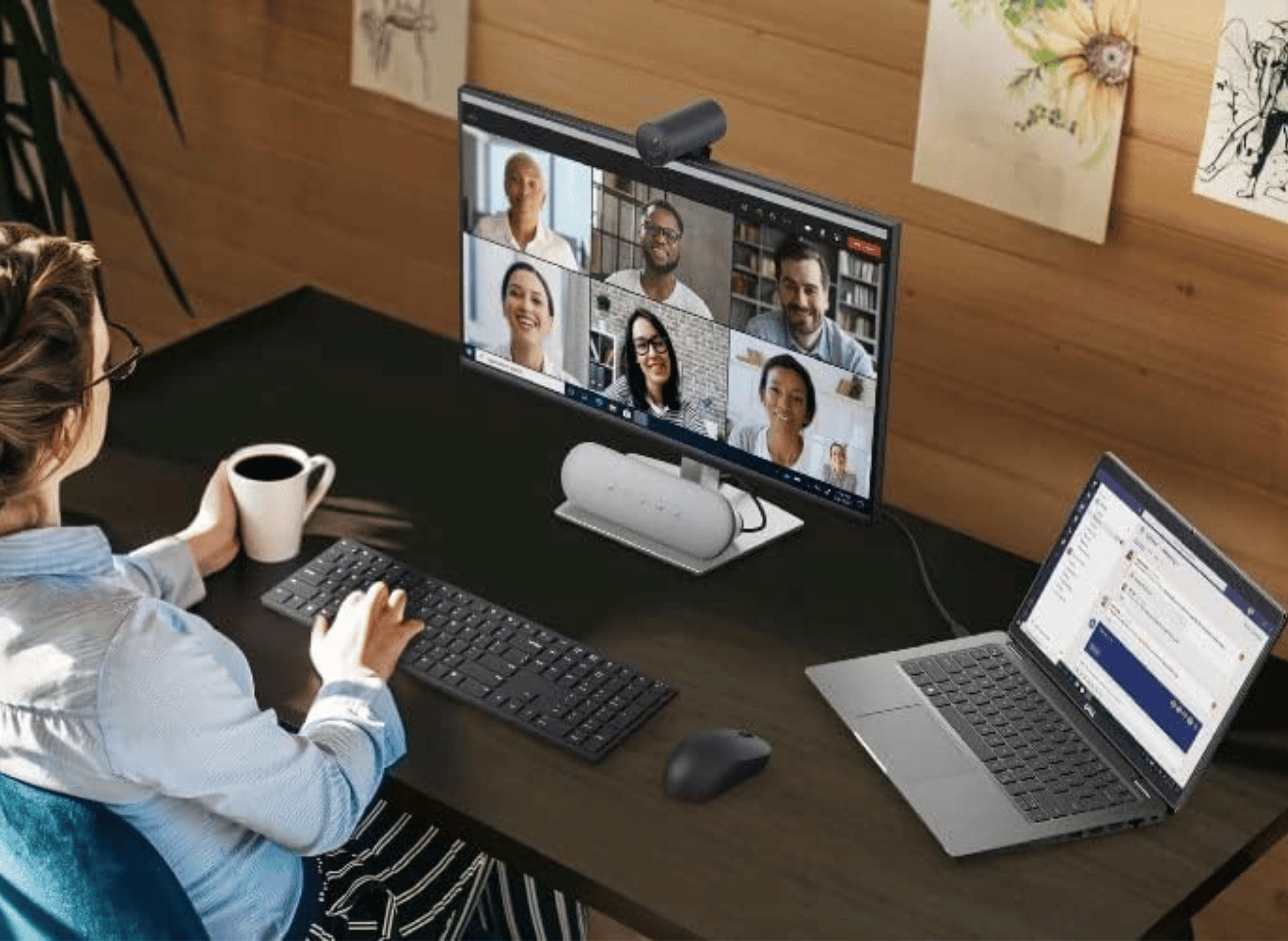
Top 2K Webcams Reviewed
The market is flooded with options, but some models consistently appear in discussions about performance and value. Check out our selections and find the right one for you.
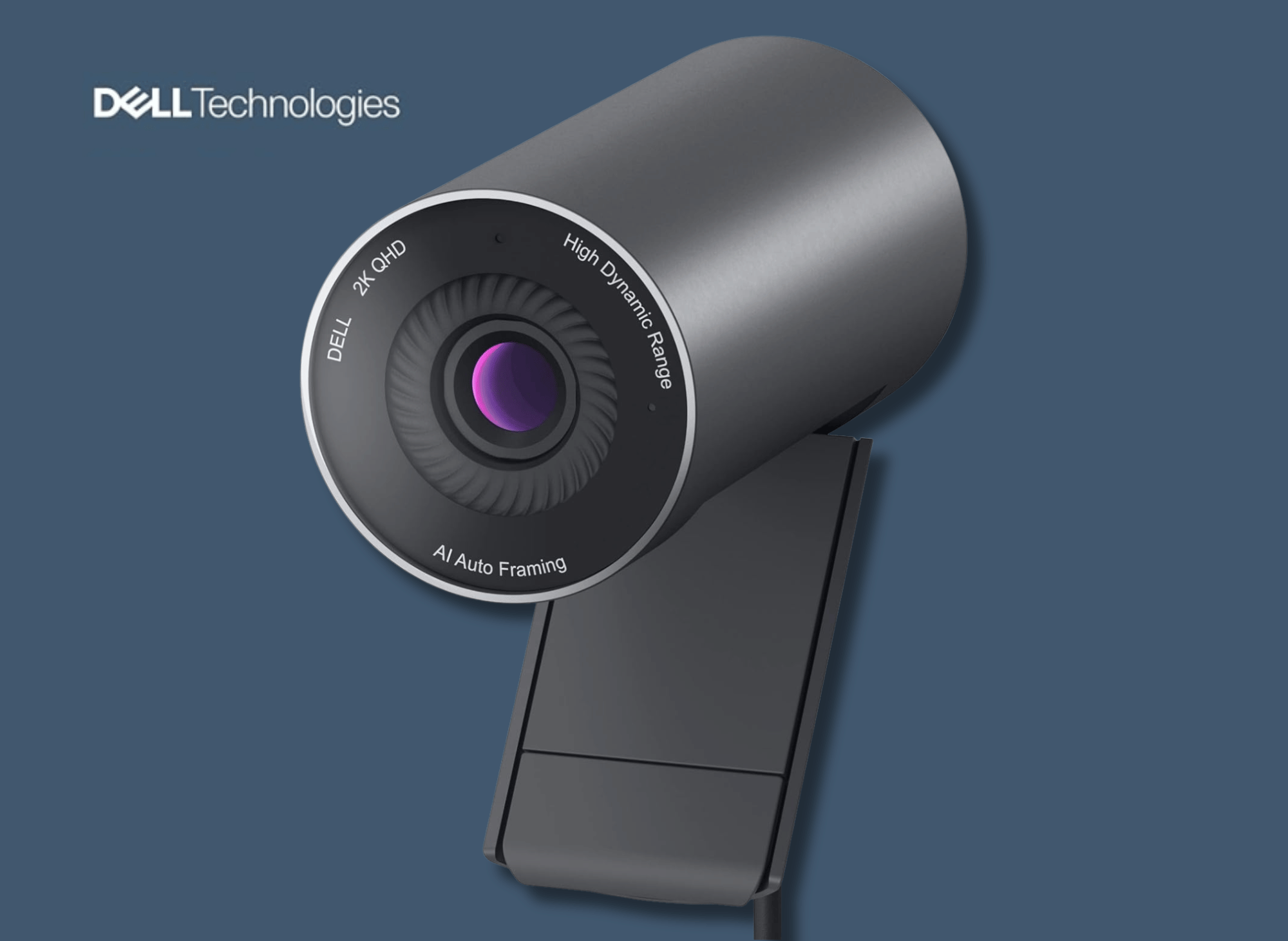
Dell Pro Webcam WB5023
2K QHD, 1440p, Sony Starvis Sensor, Upto 4x HD Digital Zoom, f2.0 Aperture, Magnetic Privacy Shutter, Microsoft Teams and Zoom Certified - Black
Dell Pro Webcam (WB5023)
The Dell Pro Webcam is a sleek, cylinder-shaped device aimed squarely at the professional market. It boasts a Sony STARVIS™ sensor, which is renowned in the industry for its low-light capabilities.
Key Specifications:
- Resolution: 2K QHD (1440p) at up to 60 fps
- Sensor: Sony STARVIS™ CMOS
- Field of View: Adjustable (65° / 78°)
- Zoom: Up to 4x Digital Zoom
- Connection: USB-A
- Certification: Microsoft Teams and Zoom Certified
Pros:
- Superior Low Light Correction: The temporal (3D) and spatial (2D) noise reduction features work exceptionally well in dim environments, reducing the graininess often seen in standard webcams.
- AI Auto Framing: This feature automatically keeps you centered in the frame, even if you shift in your chair during long meetings.
- High Dynamic Range (HDR): The Digital Overlap HDR balances harsh lighting, ensuring you aren't washed out if you sit near a bright window.
- Privacy: It includes a magnetic privacy shutter that snaps satisfyingly onto the lens.
Cons:
- Software Dependency: Many advanced features (like AI framing and FOV adjustments) require the Dell Peripheral Manager software, which is primarily optimized for Windows, leaving Mac OS users with limited functionality.
- No Optical Zoom: While it advertises zoom, it is digital, meaning the image is cropped and blown up rather than optically magnified.
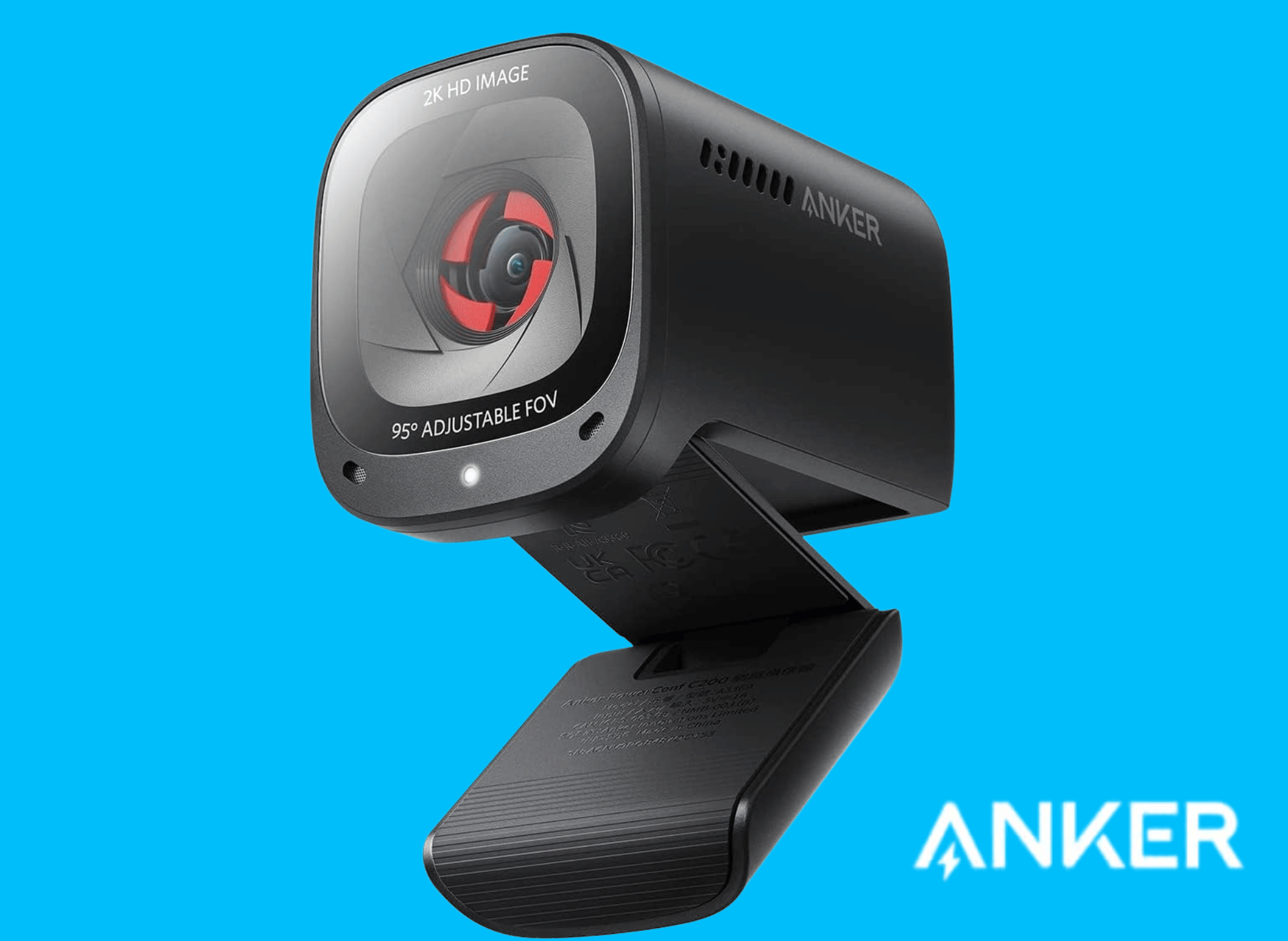
Anker PowerConf C200 2K Webcam
For PC/Laptop/Mac, Computer Camera, Low-Light Correction, AI-Noise Canceling Mics, Adjustable Field of View, Built-in Privacy Cover, Stereo Mics, for Meeting
Anker PowerConf C200 2K Webcam
This webcam is a solid choice for virtual meetings, streaming, and general use, offering excellent value for its price range.
Key Specifications:
- Resolution: 2K Ultra-Clear for sharp and detailed video.
- Audio: Dual AI noise-canceling microphones for clear voice capture.
- Low-Light Performance: Superior image quality in dim environments.
- Field of View (FoV): Adjustable angles (65°, 78°, 95°) via software.
- Privacy: Built-in sliding privacy cover for security.
- Compatibility: Works with Windows 7 or later and macOS 10.11 or later.
- Connectivity: USB interface for easy plug-and-play setup.
Pros:
- High-Quality Video: 2K resolution ensures sharp and professional visuals.
- Noise Cancellation: Dual mics with AI noise reduction enhance audio clarity.
- Customizable View: Adjustable FoV allows flexibility for different setups.
- Privacy Feature: Integrated lens cover for added security.
- Low-Light Adaptability: Performs well in dim lighting without extra equipment.
- Broad Compatibility: Supports both Windows and macOS systems.
Cons:
- Autofocus Issues: Some users report inconsistent autofocus performance.
- Color Accuracy: Mixed feedback on color balance and white balance.
- Software Limitations: Limited customization options in the AnkerWork software.
- Mounting Stability: The monitor mount may not be ideal for all setups.
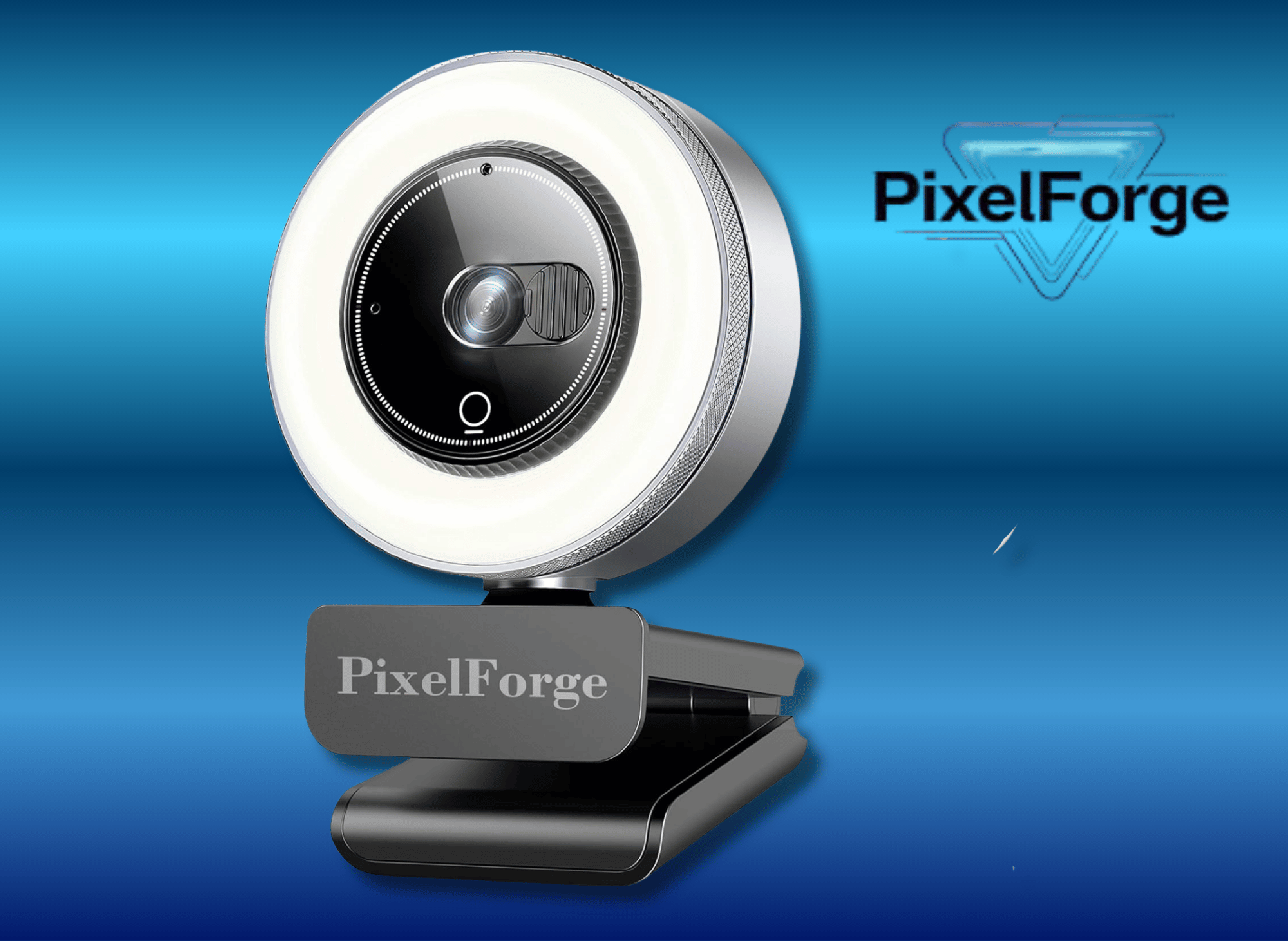
PixelForge 2K Webcam for PC with Microphone
Light & Privacy Cover, Web Camera for Desktop Computer/Laptop/Monitor/Mac, USB Streaming Camera for Zoom/Skype/Teams/Video Calling/Studying and Conference
PixelForge 2K Webcam for PC with Microphone
The PixelForge 2K Webcam is a reliable, feature-rich option for remote workers, streamers, and casual users seeking high-quality video and audio performance. However, it may not meet the needs of users requiring ultra-premium features or rugged durability.
Key Specifications:
- Resolution: 2560 x 1440p (2K Ultra HD) for sharp and clear video quality.
- Built-in Microphone: Noise-canceling microphone for clear audio during calls and streams.
- Ring Light: Adjustable ring light with three brightness levels for optimal lighting in any environment.
- Privacy Cover: Integrated cover for enhanced security when the webcam is not in use.
- Autofocus: Advanced autofocus technology for sharp video even during movement.
- Compatibility: Works with Windows, macOS, and popular platforms like Zoom, Skype, and Google Meet.
- Connectivity: USB plug-and-play setup for quick installation.
- Dimensions & Weight: Compact size (5.63 x 3.98 x 2.52 inches) and lightweight (9.1 ounces) for portability.
Pros:
- High-Quality Video: 2K resolution ensures sharp and clear visuals, even in low-light conditions.
- Adjustable Lighting: Built-in ring light with three brightness levels enhances video quality.
- Easy Setup: Plug-and-play functionality makes installation quick and hassle-free.
- Privacy Protection: Integrated cover provides peace of mind when the camera is not in use.
- Clear Audio: Noise-canceling microphone ensures professional-grade sound quality.
- Versatile Compatibility: Works seamlessly with major video conferencing and streaming platforms.
- Portable Design: Lightweight and compact, ideal for travel or remote work setups.
Cons:
- Build Quality: Plastic construction may feel less durable for frequent adjustments or heavy use.
- Limited Brightness: Ring light may not be sufficient for very dark environments.
- Autofocus Speed: Autofocus can be slow during rapid movements or dynamic scenes.
- Microphone Sensitivity: May struggle in larger rooms or noisy environments.
- Basic Features: Lacks advanced options like 4K resolution or extensive customization for professional streamers.
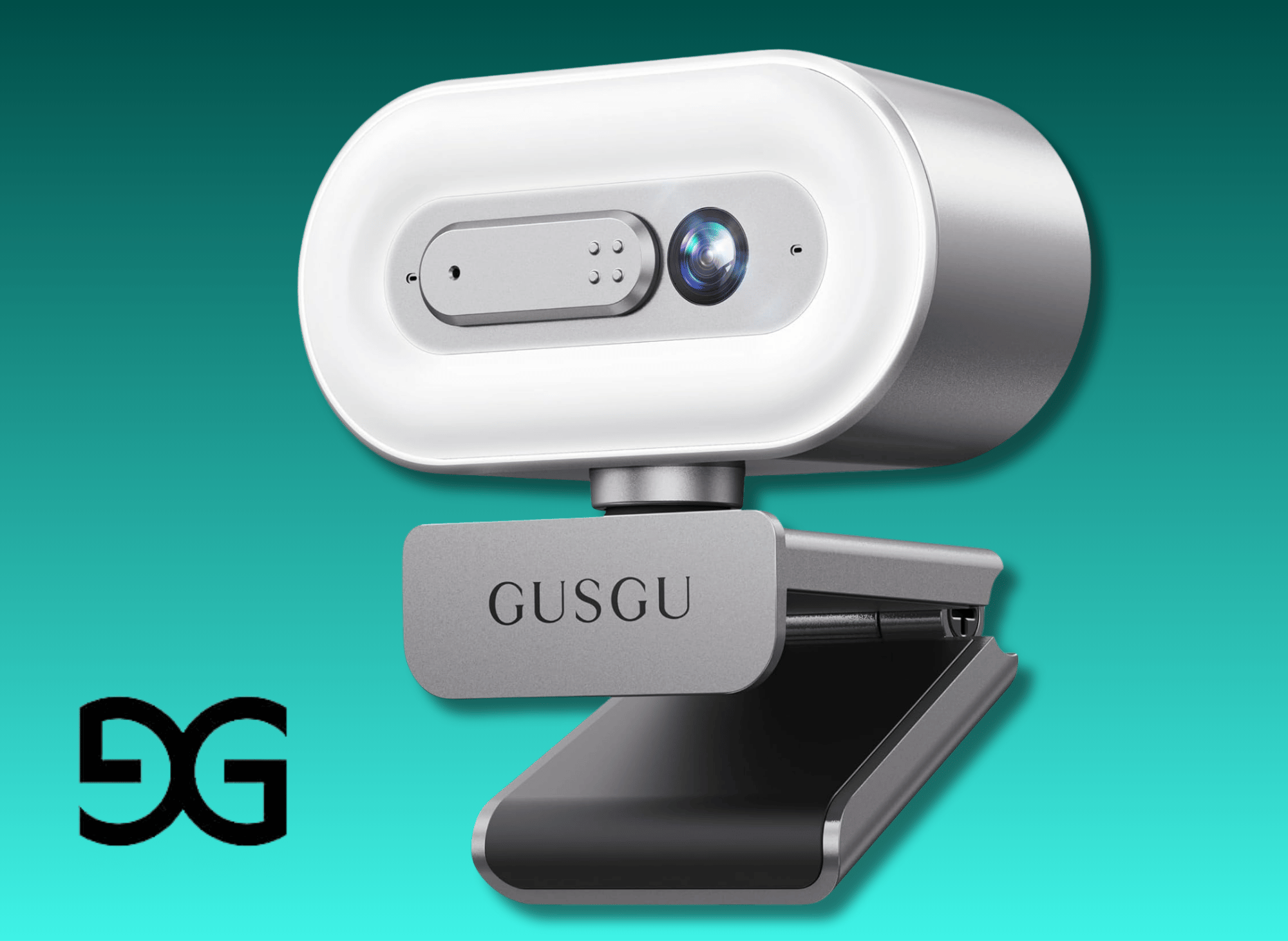
GUSGU G920 2K Quad HD Webcam for PC
Auto Focus, with Microphone & Light & Privacy Cover, Web Camera for Desktop Computer/Laptop/MacBook, USB Streaming Camera
GUSGU G920 2K Quad HD Webcam
Often marketed as a versatile, budget-friendly option, the GUSGU G910 focuses on providing an all-in-one solution for users who need integrated lighting. For those seeking higher resolution and audio clarity, the Aluratek 2K HD Webcam is also worth considering.
Key Specifications:
- Resolution: 2K Ultra HD (2560 x 1440p)
- Lighting: Built-in Ring Light with 3-level touch adjustment
- Microphone: Built-in noise-canceling
- Focus: Auto focus
- Connection: USB Plug and Play
- Compatibility: GUSGU G920 2K HD Webcam is compatible with all laptops and computers running macOS and Windows, making it a universally compatible choice for various setups
Pros:
- Integrated Ring Light: This is a game-changer for users in dark rooms. The adjustable light illuminates the face without requiring external lamps.
- Price Point: Generally more affordable than major brand competitors like Dell or Logitech.
- Plug and Play: Excellent compatibility across Windows, macOS, and Linux without needing heavy driver installations.
- Privacy Cover: Includes a physical cover for privacy protection.
Cons:
- Audio Quality: While it includes a noise-canceling mic, user reviews indicate the volume may be low compared with premium dedicated microphones.
- Fixed Focus Issues: Some users have reported that the focus is inconsistent compared to the AI-driven focus of higher-end models.
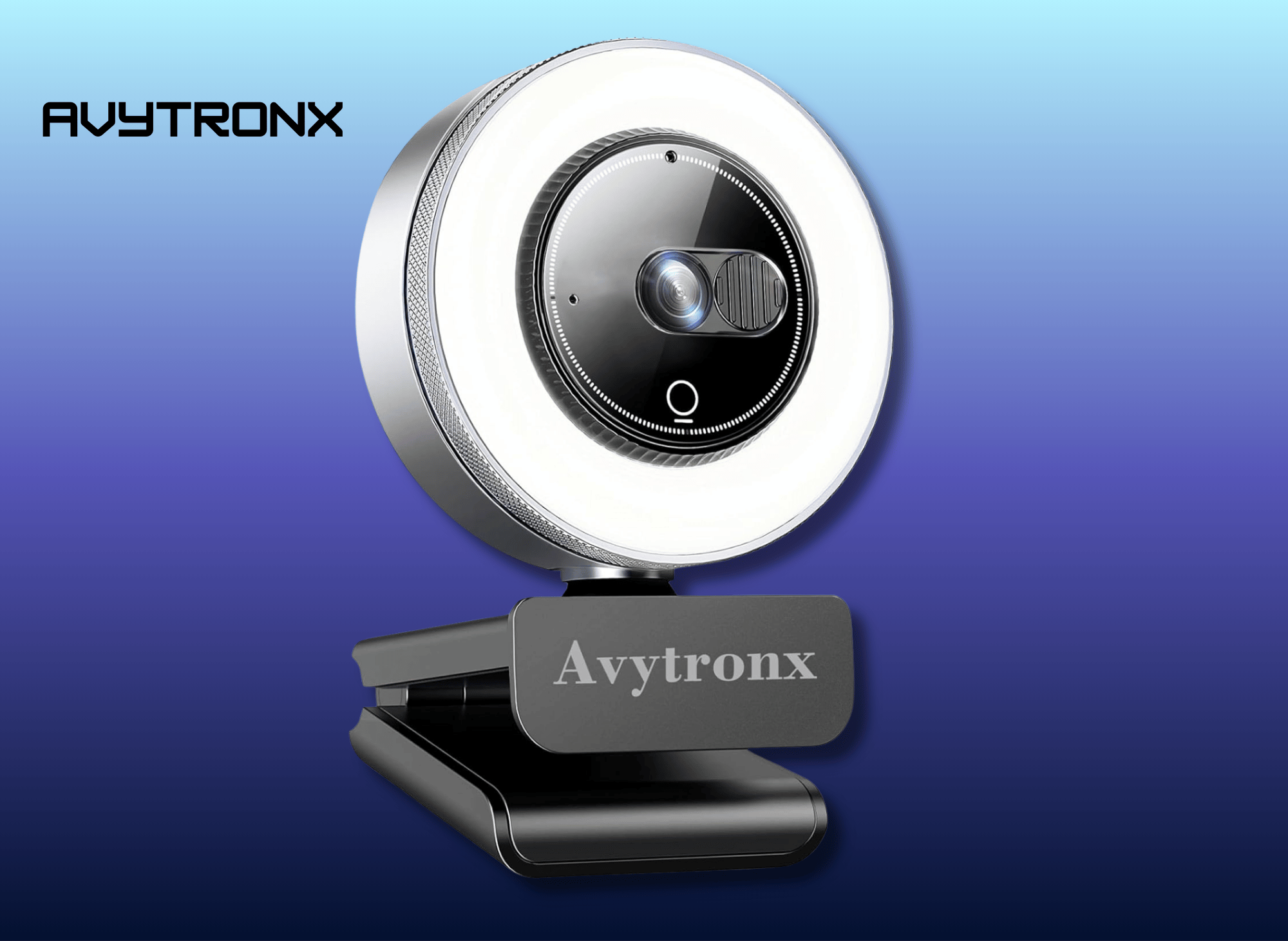
Avytronx 2K Webcam for PC with Microphone & Built-in Light
USB Computer Camera for PC/Laptop/Mac/Monitor, Streaming Webcam with Privacy Cover for Zoom/Skype/Teams/Video Calling/Conference/Online Classes
Avytronx 2K Webcam for PC with Microphone
Enjoy razor-sharp 2560 x 1440p video with this webcam for PC/Mac. Ensures you stay crisp on Zoom/Google Meet, whether on a computer monitor or a laptop.
Key Specifications:
- Resolution: 2K Ultra HD (2560 x 1440p) for sharp video quality.
- Built-in Ring Light: Adjustable 3-level brightness for optimal lighting in low-light conditions.
- Privacy Cover: Slide-on cover for enhanced security and lens protection.
- Noise-Canceling Microphone: Reduces background noise for clear audio during calls.
- Plug & Play: USB compatibility with Windows, macOS, and Linux; no drivers required.
- Compatibility: Works seamlessly with Zoom, Skype, Teams, and other video conferencing platforms.
- Design: Compact and lightweight with a sturdy mount for monitors, laptops, or tripods.
Pros:
- High-resolution video ensures clear, professional visuals.
- Built-in ring light eliminates the need for additional lighting equipment.
- Easy setup with plug-and-play functionality.
- Privacy cover adds an extra layer of security.
- Noise-canceling microphone enhances audio clarity.
- Versatile mounting options for various devices.
Cons:
- Fixed focus may not be ideal for close-up shots or dynamic movements.
- Limited to 30 frames per second, which may not suit high-motion video needs.
- Built-in microphone quality is decent but not studio-grade.
- The ring light requires manual adjustment each time the camera is used.

Key Features to Look For
When browsing for your perfect webcam, looking beyond just the “2K” label is crucial. Key webcam features, such as a built-in tripod mount, can greatly enhance versatility and ease of use.
The 2K HD Webcam includes a built-in tripod mount that is compatible with most tripods and quick-release plates, making it easy to integrate into various setups. Here are the specific technologies that contribute to a superior video experience.
CMOS Sensors and Image Quality
The heart of any camera is its sensor. A larger CMOS sensor allows more light to be captured, resulting in better color reproduction and less noise. The Dell WB5023's use of the Sony STARVIS sensor is a prime example of how hardware dictates picture quality. Look for webcams that emphasize sensor size or brand, as this usually correlates with better performance in varied lighting conditions.
HDR (High Dynamic Range)
Offices are rarely lit like film studios. You might have a bright window behind you or a harsh overhead light. HDR technology helps the webcam balance the lightest and darkest parts of the image. This ensures your face remains visible even with strong backlighting, preventing that "silhouette" effect.
AI Auto-Framing and Auto Focus
Standard auto focus is a must, but AI auto-framing takes it a step further. This feature digitally pans and zooms to keep you in the center of the screen. It is incredibly useful for presenters who like to stand up or move around a whiteboard. However, ensure the webcam allows you to turn this off, as it can sometimes be distracting during casual seated conversations.
The Importance of Lighting
Even the most expensive 2K HD webcam will struggle in pitch-black conditions. Lighting is the single biggest factor in video quality.
Integrated Ring Lights
Models like the GUSGU G910 come with built-in ring lights. These are convenient for simple setups and travel. They provide "fill light" to remove shadows from your face. However, because the light source is small and close to the lens, it can sometimes reflect in glasses.
External Setups
For the best image quality, rely on low-light correction features in the webcam (like those in the Dell model) combined with an external light source. Placing a soft lamp behind your monitor or facing a window usually yields better results than a small, built-in LED. If your webcam handles auto white balance well, it will adjust the color temperature to make your skin tone look natural regardless of the light source.
Audio Quality: Do You Need a Headset?
Most 2K webcams feature built-in microphones, which can simplify setup by eliminating the need for external audio devices. These microphones often boast “noise reduction” or “noise cancelling” capabilities.
For the Dell WB5023, the cohesive microphone is designed to pick up clear audio from a seated position. Similarly, the GUSGU/Avytronx models offer noise reduction to filter out background noise like fans or distant chatter. The Aluratek 2K HD Webcam features dual stereo noise-cancelling microphones for clear audio.
The Verdict on Audio: For quick calls with family members or brief internal updates, these built-in mics are sufficient. Some webcams, like the RayBit SeeUp Mini, feature both a built-in microphone and a hi-fi speaker, making them suitable for video conferencing. However, for professional content creation, podcasts, or high-stakes client pitches, a dedicated USB microphone or a headset will always provide richer, more natural sound. Webcam mics can sometimes sound “hollow” because they are located further from your mouth.
Privacy and Security
In an age where webcams are constantly connected, privacy protection is non-negotiable.
Physical Shutters
The most reliable form of security is a physical barrier. The Dell WB5023 offers a magnetic privacy shutter that physically blocks the lens. Other models feature sliding covers. This provides peace of mind that no one is watching, even if your software is hacked or you accidentally leave your video on after a Zoom call.
Digital Protection
Beyond physical shutters, look for devices that have clear LED indicators showing when the camera is active. Secure drivers and software from reputable manufacturers like Dell also minimize the risk of vulnerabilities compared to generic, unbranded devices.

Performance in Challenging Environments
When your home office lighting is less than perfect, the right webcam can make all the difference for a crucial video conference, live streaming session, or online class. Many of us deal with unpredictable lighting, dim rooms, harsh sunlight, or even just a single desk lamp. In these situations, a webcam’s ability to adapt is crucial for maintaining sharp picture quality and clear calls.
Modern 2K webcams are equipped with advanced features designed to tackle these challenges head-on. A reliable auto focus feature ensures you stay crisp and clear, even if you move around during a group call or online presentation. Low light correction and auto white balance work together to deliver natural-looking images, adjusting in real time to changing light conditions so your face is always well-lit and colors remain true. This is especially important for content creation and live streaming, where image quality can make or break your audience’s experience.
Take the Dell Pro Webcam (WB5023) and the Logitech Brio 500, for example. Both models are engineered for high performance in tough environments, offering high dynamic range (HDR) to balance out strong backlighting. A wide-angle lens and digital zoom provide flexible framing options, ensuring you can capture exactly what you need. Their built-in microphones feature noise reduction and noise-cancelling technology, minimizing background noise and ensuring great sound quality so your voice comes through clearly during meetings.
For those who often work in low-light conditions, the Razer Kiyo Pro Ultra stands out with its large image sensor and wide aperture, capturing more light for a brighter, clearer picture. This makes it a top choice for users who need reliable image quality for streaming or video recording, even when lighting isn’t ideal. For added stability on uneven desks or flat surfaces, mounting your device on a webcam tripod can provide the perfect angle.
AI-powered features like auto framing and real-time noise reduction further enhance performance. These smart technologies automatically adjust the camera’s settings, keeping you centered in the frame. An adjustable field of view helps reduce distractions from the background, perfect for dynamic group calls or when you’re moving around during a presentation. Plus, many modern options are "plug and play webcam" devices, meaning no complex installation or a specific driver is required to get started.
Compatibility is another key factor. Leading webcams like the Logitech Brio 500 are designed for wide compatibility, working seamlessly with Windows, Mac OS, and other platforms. This flexibility is essential for professionals and students who switch between devices. When purchasing, always check the delivery date to ensure it arrives before your next big meeting, and review the warranty information to protect your investment.
In summary, if you want your webcam to deliver top-notch image quality and sound in any environment, look for features like auto focus, low light correction, auto white balance, noise reduction, and high dynamic range. Choosing a webcam with these advanced capabilities ensures your video calls, live streams, and online classes always look and sound professional, no matter where you’re working.
Setup Guide: Plug-and-Play Compatibility
One of the biggest advantages of modern USB webcams is their ease of use. Most 2K webcams are compatible with all laptops and computers running macOS and Windows, making them a versatile choice for different setups. Simply plug the webcam into a USB port, and your operating system will usually recognize it automatically. This universal compatibility ensures that you can use your 2K webcam with a wide range of devices and software platforms.
For the best experience, we recommend testing your webcam setup before important calls to ensure everything is working correctly and looking good.
Windows vs. MacOS
Most 2K webcams are "plug and play." You simply insert the USB plug into your laptop or desktop, and the computer recognizes the device immediately.
- Windows: You typically get the best experience here. Devices like the Dell WB5023 are optimized for Windows, offering full access to software suites that control digital zoom, color profiles, and AI features.
- MacOS: While the webcams will work (providing video and audio), you might lose access to granular controls if the manufacturer hasn't released Mac-specific software. Always check for "wide compatibility" on the box.
Mounting Options
Ensure the webcam has an adjustable mount. Most come with a hinged clip that fits securely on thin laptop screens and thick desktop monitors alike. Furthermore, check for a standard 1/4-inch thread on the bottom; this allows you to mount the webcam on a tripod, giving you better angles for streaming or recording.
Final Verdict: Which 2K Webcam is Right for You?
Upgrading to a 2K web-cam is a smart move for anyone looking to future-proof their setup without the high cost of 4K.
Best for Professionals:
If your budget allows, the Dell Pro Webcam (WB5023) is the superior choice. It's a Sony STARVIS sensor, excellent HDR, and AI framing make it a productivity powerhouse, especially for Windows users using Microsoft Teams.
Best Value / All-in-One:
If you are budget-conscious or need a quick fix for a dim room, the GUSGU G910 (or Avytronx 2K) is a solid contender. The integrated light and plug-and-play nature make it perfect for students, casual users, and those needing a simple solution for online classes.
Whether you prioritize the pristine image quality of the Dell or the convenient features of the GUSGU, moving to 2K will ensure you come through clear, sharp, and professional on your next call.
Thank you for reading!
Your friend,
Kelly
#2KWebcam 📸 #CrystalClearVideo 🎥 #HDStreaming 🌟 #WebcamLife 💻 #ContentCreationTools 🛠️ #VideoQualityMatters 🎬 #StreamInStyle ✨ #SharpAndSmooth 🖥️ #UpgradeYourSetup 🚀 #ProLevelWebcam 🏆
Amazon Prime offers a wide range of products to meet diverse customer needs, with the added benefit of fast, reliable delivery. From household essentials and groceries to electronics, clothing, and entertainment, Prime members get access to exclusive deals and discounts across various categories.
Additionally, Prime membership includes access to services like Prime Video for streaming movies and TV shows, Amazon Music for ad-free music, and Prime Reading for eBooks and magazines. This comprehensive suite of benefits makes Amazon Prime a convenient and value-packed option for millions of customers worldwide.
- Prime for you, adult
- Free 30-day trial of Prime
- All of Prime, half the price.
- Prime Video
- Wedding Registry
- Kindle Unlimited
- Amazon Music
- Amazon Fresh Groceries
 Kelly Bandel
 Kelly Bandel
 Kelly Bandel
 Kelly Bandel
 Kelly Bandel
 Kelly Bandel
 Kelly Bandel
 Kelly Bandel
 Kelly Bandel
to meet diverse customer needs,