
Welcome to FactsFanatics. As an Amazon Associate, we earn from qualifying purchases (at no cost to you) from links found within these pages if you choose to buy something.
If you are serious about PC gaming, especially if this is your first mechanical keyboard, you know that your keyboard is more than just a typing tool. It is your primary interface, your weapon of choice, and often the centerpiece of your desk setup. With so many mechanical keyboards flooding the market, finding one that perfectly balances durability, performance, and style can feel like searching for a needle in a haystack when you want to buy the right one.
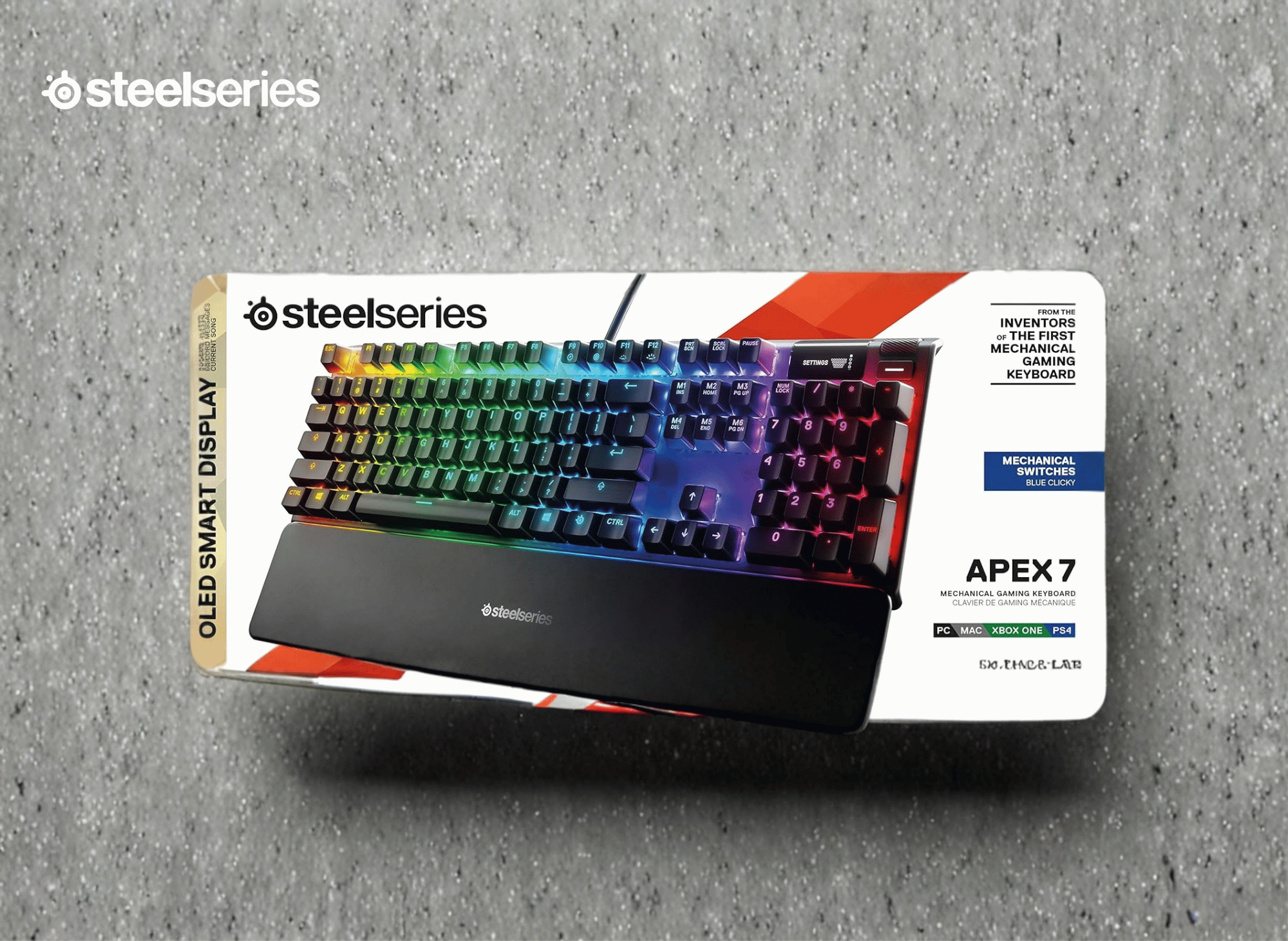
Enter the SteelSeries Apex 7 Mechanical Gaming Keyboard. This isn’t just another peripheral with flashing lights; its image is designed to impress. It is a premium piece of hardware built to withstand the rigors of competitive gaming while offering features that genuinely enhance your user experience. From its aircraft-grade aluminum frame to its integrated OLED smart display, the Apex 7 aims to set a new standard for what a gaming keyboard should be.
But does it live up to the hype? Whether you are an esports hopeful or a casual gamer looking to upgrade your battlestation, this keyboard promises a lot. In this review, we will break down everything you need to know about the SteelSeries Apex 7, exploring its standout features, performance, and why it might just be the last keyboard you ever need to buy. The SteelSeries Apex 7 is available for purchase on platforms like Amazon Inc, making it accessible for most users.
For anyone considering their first mechanical keyboard, the Apex 7 combines all the best aspects of mechanical keyboards, such as tactile feedback, customizable features, and a premium build.
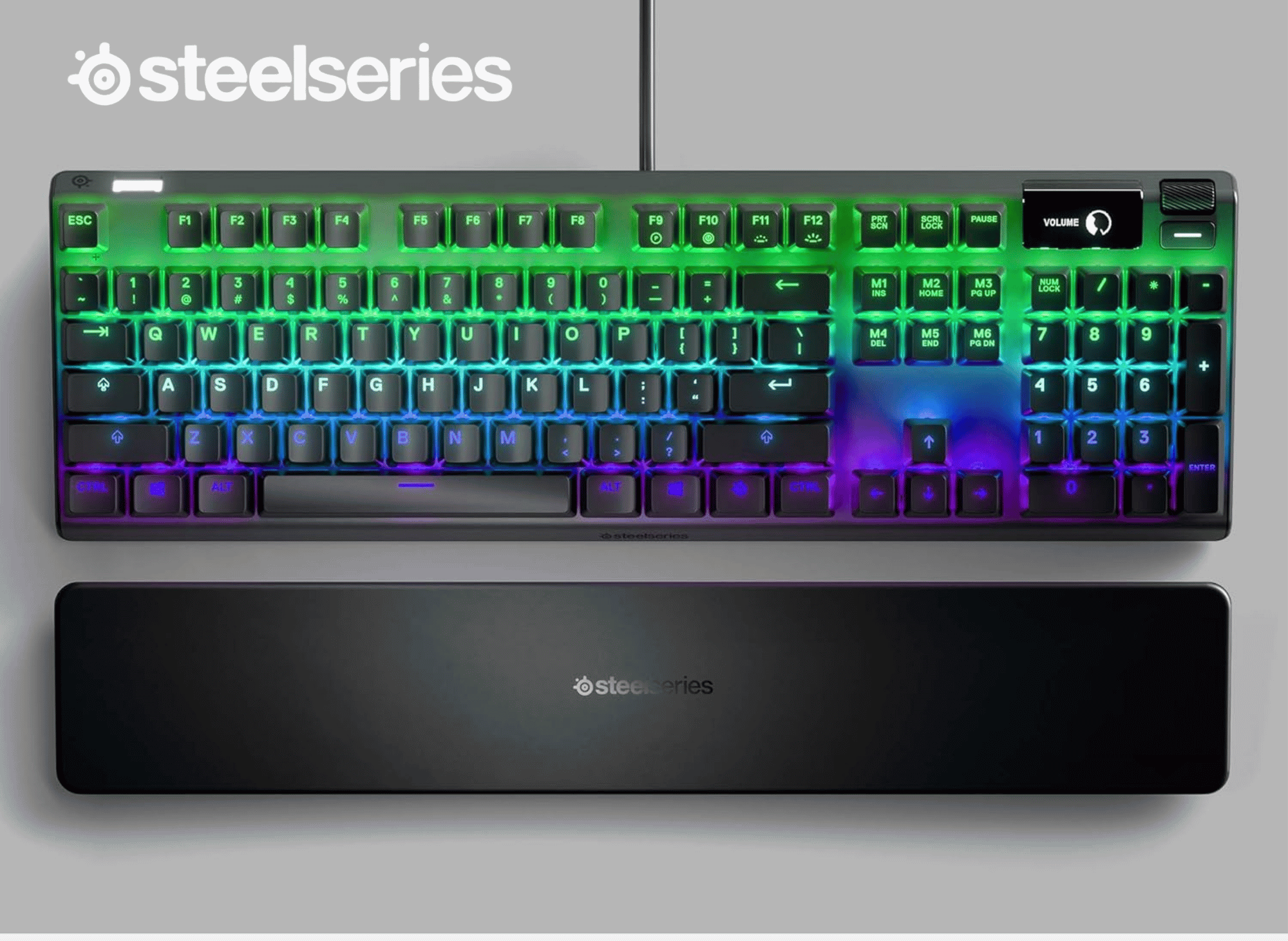
SteelSeries Apex 7 Mechanical Gaming Keyboard
OLED Smart Display – USB Passthrough and Media Controls – Tactile and Clicky – RGB Backlit (Blue Switch)
Introduction to Mechanical Keyboards
If you’re new to the world of mechanical keyboards, you’re in for a treat. Unlike standard membrane keyboards, mechanical keyboards use individual switches for each key, delivering a more precise and satisfying typing experience. This design not only enhances responsiveness but also increases the keyboard’s durability, making it a favorite among many people, including gamers and professionals alike.
The SteelSeries Apex 7 is a shining example of what a modern mechanical keyboard can offer. Its robust aluminum frame ensures long-lasting performance, while the customizable lighting lets you create a setup that matches your style. The built-in OLED screen adds a futuristic touch, giving you quick access to important information and settings right from your keyboard. Whether you’re gaming late into the night or working on your next big project, the Apex 7’s high-quality switches and thoughtful design make every keypress feel just right.
For anyone considering their first mechanical keyboard, the Apex 7 is a fantastic introduction. It combines all the best aspects of mechanical keyboards, tactile feedback, customizable features, and a premium build into one sleek package. No matter how you spend your time at the computer, the SteelSeries Apex 7 is designed to customize your experience and make every moment at the keyboard a good one.

A look at the standout features
The SteelSeries Apex 7 distinguishes itself from the competition with a suite of high-end features designed for both utility and aesthetics. The Apex 7 includes several thoughtful items, such as a magnetic wrist rest and dedicated media controls, that enhance usability. It’s clear that SteelSeries didn’t just want to make a keyboard that works; they wanted to make one that works smart. The keyboard also allows for extensive button customization, making it suitable for both gaming and productivity.
The OLED Smart Display
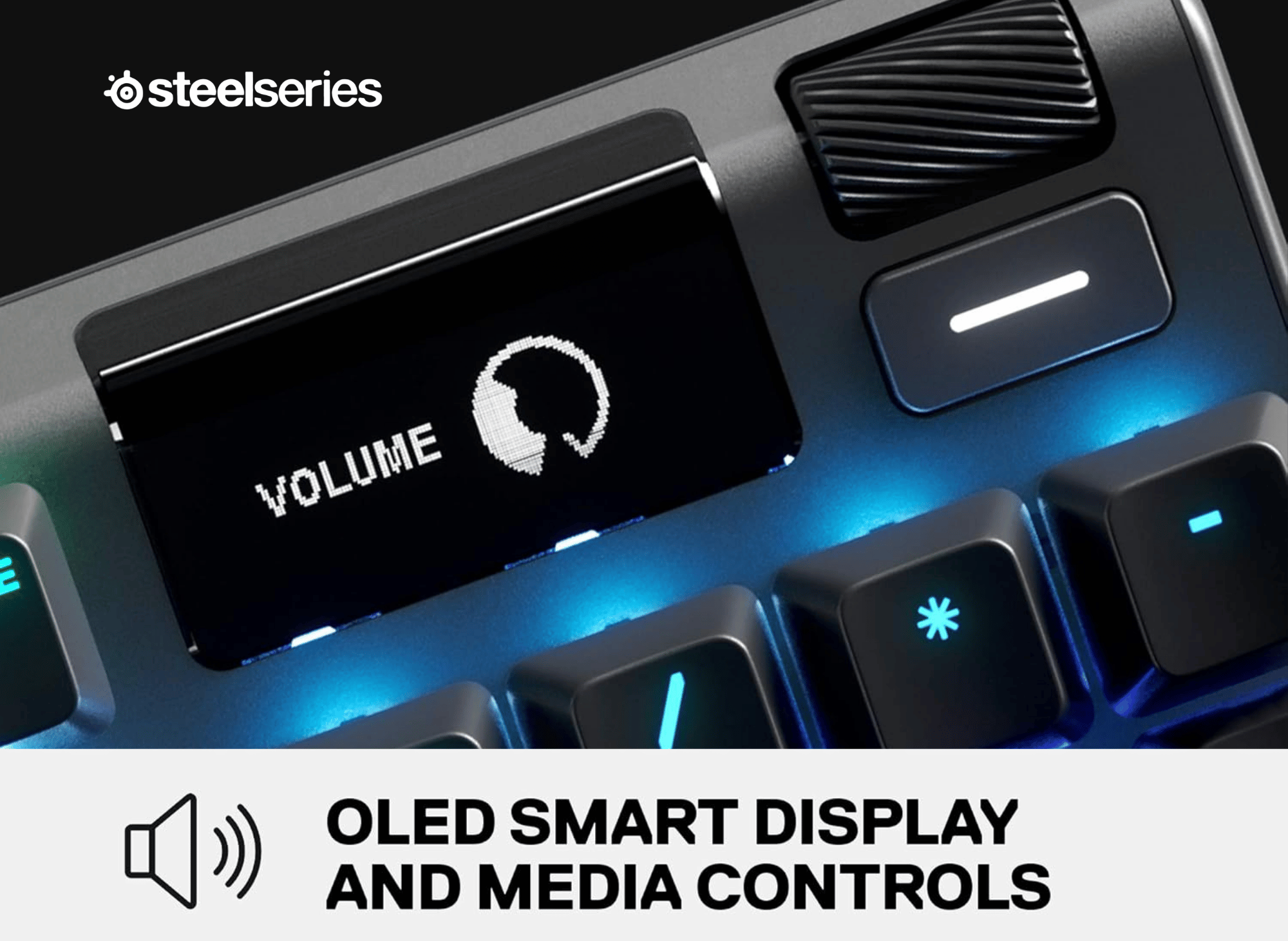
The most eye-catching feature is undoubtedly the integrated OLED Smart Display located in the top right corner. While some might dismiss screens on keyboards as a gimmick, this one serves a practical purpose. It acts as a command center, allowing you to adjust settings, change profiles, and see on-the-fly updates without ever having to tab out of your game. To access the OLED menu and adjust settings directly from the keyboard, simply press and hold the dedicated button next to the display.
You can configure it to show Discord messages, view current speakers, or track your KDA in supported games like CS: GO. Even if you aren’t gaming, it can display track info from Spotify, meaning you are always in control of your media. The display can be further customized using dedicated apps within the SteelSeries Engine software, giving you even more options for personalized functionality.
Aircraft-grade durability
Durability is a major concern for gamers who can be rough on their gear during intense matches. The Apex 7 is built with a Series 5000 Aircraft-Grade Aluminum Alloy frame. This isn't just marketing speak; the metal frame provides a rigid, sturdy backbone that prevents the keyboard from flexing or sliding around your desk. It feels substantial and premium, manufactured for a lifetime of unbreakable durability and stability.
Immersive RGB illumination
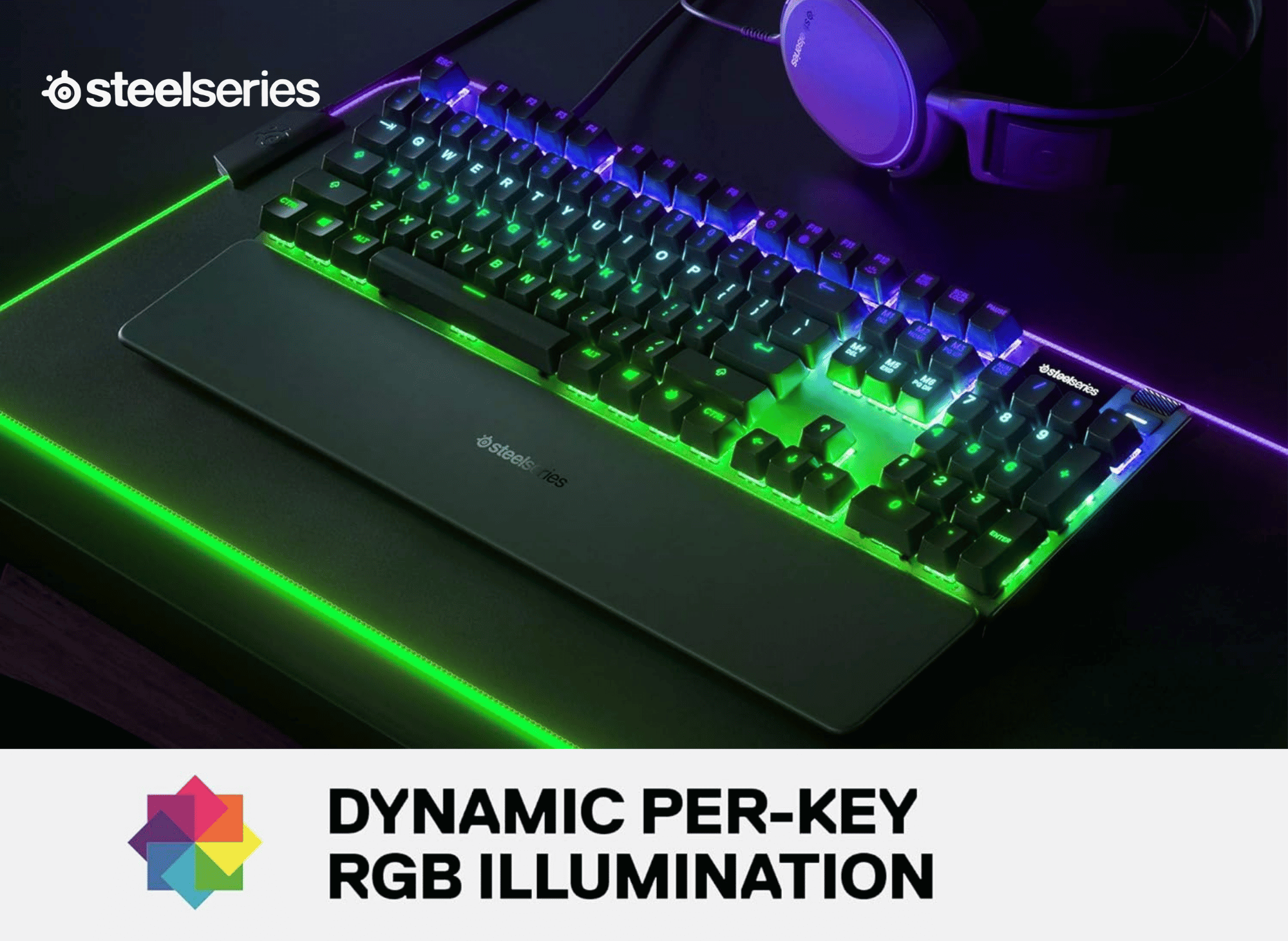
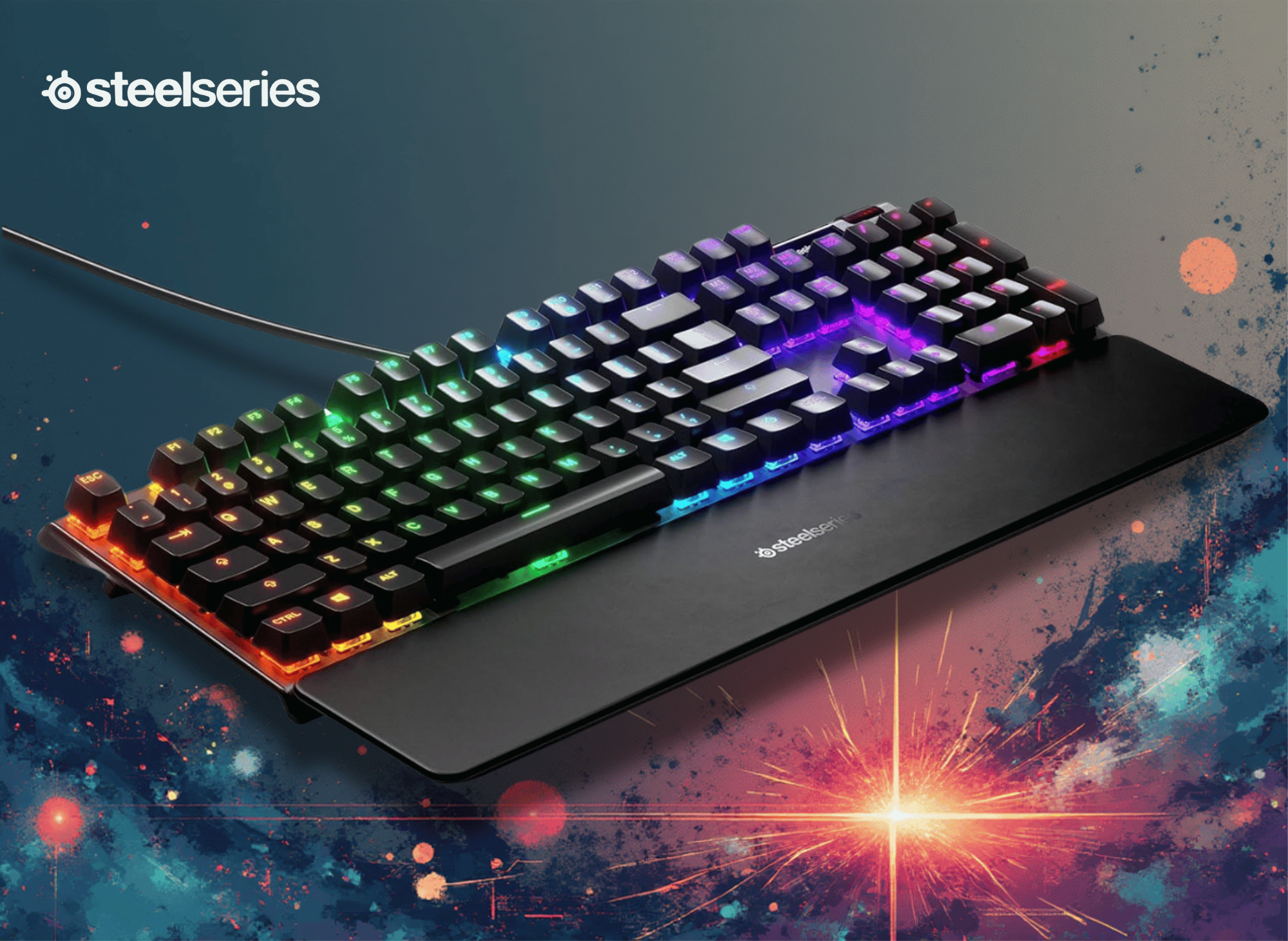
No gaming keyboard is complete without lighting, and the Apex 7 delivers with dynamic per-key RGB illumination. You aren't limited to basic presets here. With 16.8 million colors to choose from, you can design your own intricate light shows, even using themes like red, white, and blue, or have the reactive lighting respond to every keystroke. The LEDs are bright and vibrant, reflecting beautifully off the aluminum backplate.
Premium magnetic wrist rest
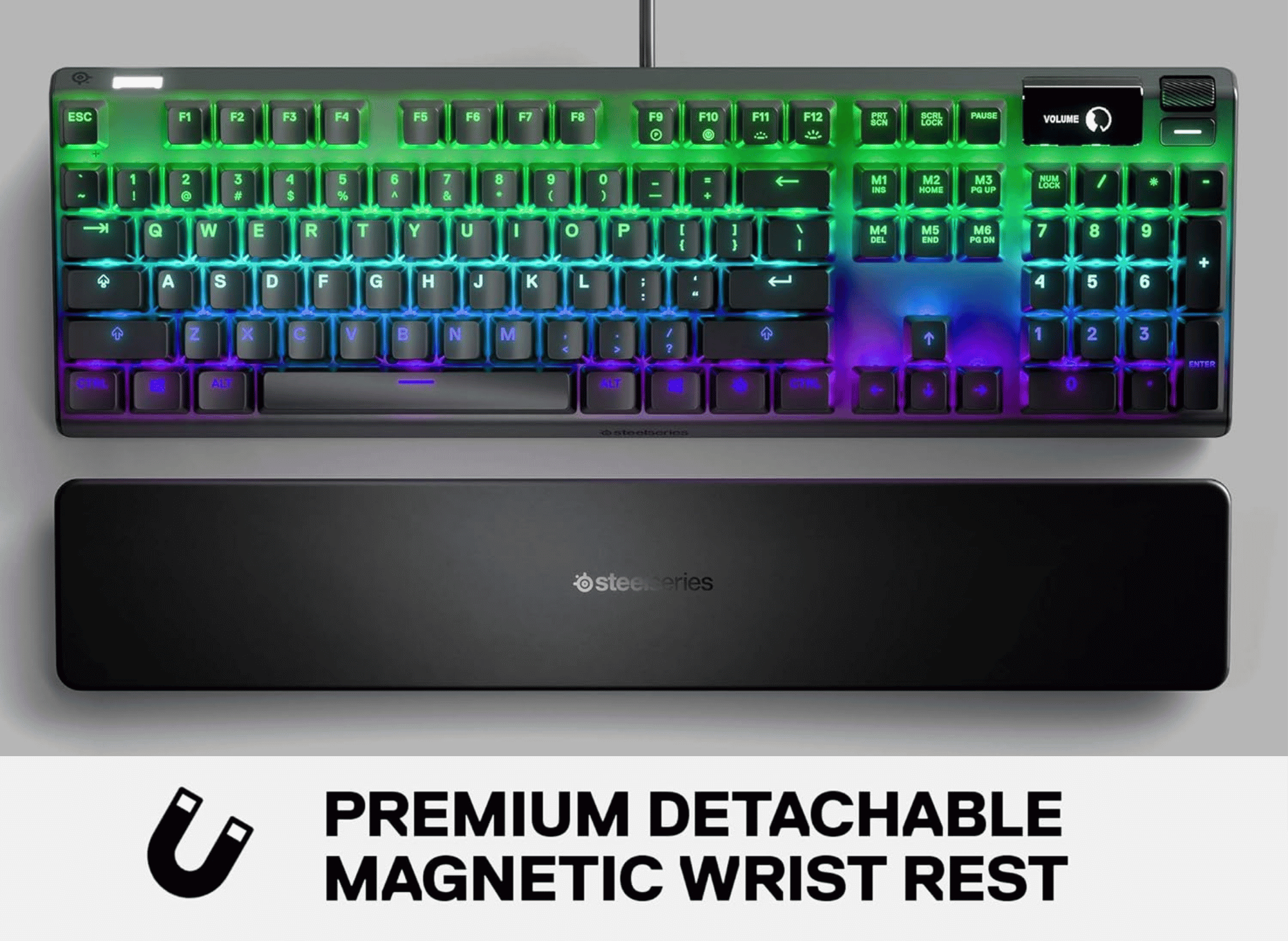
Comfort often takes a backseat to performance in gaming peripherals, but not here. The keyboard comes with a premium magnetic wrist rest. It snaps securely onto the front of the keyboard using strong magnets, so there are no flimsy plastic clips to break. The soft-touch finish provides full palm support, ensuring you can play for hours without experiencing wrist fatigue.
Installation and Setup
Getting started with the SteelSeries Apex 7 is refreshingly simple, even if you’re not a tech expert. Out of the box, all you need to do is connect the keyboard to your computer using the included USB cable. Once plugged in, the keyboard is ready to use right away, but to unlock its full potential, you’ll want to install the SteelSeries Engine software.
The software is designed with the user in mind, making it easy to customize your keyboard’s settings to fit your needs. You can create and save multiple profiles, adjust lighting effects, and assign macros to any key with just a few clicks. The intuitive interface means you don’t have to spend hours learning how to use it; customizing your Apex 7 is as easy as drag and drop.
Whether you want to set up a unique lighting pattern, create complex macros for gaming, or simply tweak your key bindings, the SteelSeries Engine software makes the process smooth and straightforward.
With the ability to save your settings and switch between profiles on the fly, the Apex 7 adapts to whatever you’re doing, making it a versatile addition to any setup. From installation to everyday use, the SteelSeries Apex 7 is all about making your experience easy, efficient, and uniquely yours.
Performance: Tactile and clicky
The specific model we are looking at comes equipped with Blue mechanical switches. The type of switch used in the Apex 7, whether linear, tactile, or clicky, significantly affects the typing and gaming experience. In the world of mechanical keyboards, “Blue” switches are known for two things: a distinct tactile bump and a loud, satisfying audible click.
Gaming performance
For gaming, these switches offer precise feedback. You can feel exactly when a keypress registers, which can be crucial for MOBA or RTS players who need to know their command has been sent. The tactile bump helps prevent accidental key presses, giving you confidence in every movement.
However, because the Blue switches require a bit more force and have a reset point that is slightly separated from the actuation point, they are sometimes considered less ideal for ultra-fast twitch shooters compared to linear Red switches. That said, many gamers prefer the "crunchy" feel of the Blues regardless of the genre.
Everyday typing
Where the Apex 7 with Blue switches truly shines is in everyday typing. If you use your PC for work, school, or coding, the typing experience is phenomenal. The auditory feedback creates a rhythm that many typists find increases their speed and accuracy. It mimics the feel of a classic typewriter but with modern responsiveness. Just be warned: if you share a room or use an open microphone, the clicking sound is significant.
Design and comfort tailored for you
SteelSeries has nailed the ergonomic design with the Apex 7. The layout is standard, so there is no awkward learning curve, but the dedicated media controls are a game-changer. Located right next to the OLED screen is a clickable metal roller and a media button that enhances usability.
These allow you to adjust volume and settings on the fly, literally at your fingertips, without navigating through software menus. While advanced customization options are available for those who want to tweak key bindings or macros, most people will find the default setup more than sufficient for everyday use.
The comfort provided by the magnetic wrist rest cannot be overstated. Many keyboards include a cheap plastic rest as an afterthought, but the Apex 7’s solution feels like an integral part of the product. The soft-touch coating is gentle on the skin and stays cool, preventing that sticky feeling during summer gaming sessions. Because it is magnetic, you can easily remove it if you have limited desk space or prefer a lower profile.
Unmatched Customization
While the hardware is impressive, the SteelSeries Engine software unlocks the full potential of the Apex 7. This is where you can dive deep into customization, as we will review its many features.
Through the software, you can customize your keyboard by programming custom macros, rebinding keys, and setting up specific profiles for different games. For example, you can have a lighting profile for Minecraft that highlights your inventory keys, and another for Call of Duty that focuses on movement and weapon swapping.
The RGB customization is particularly robust. You can sync the lighting effects with other SteelSeries Prism-enabled gear, creating a unified light show image across your mouse, headset, and keyboard. The software is intuitive, making it easy to drag and drop effects or sketch out your own designs.
Connectivity and Compatibility
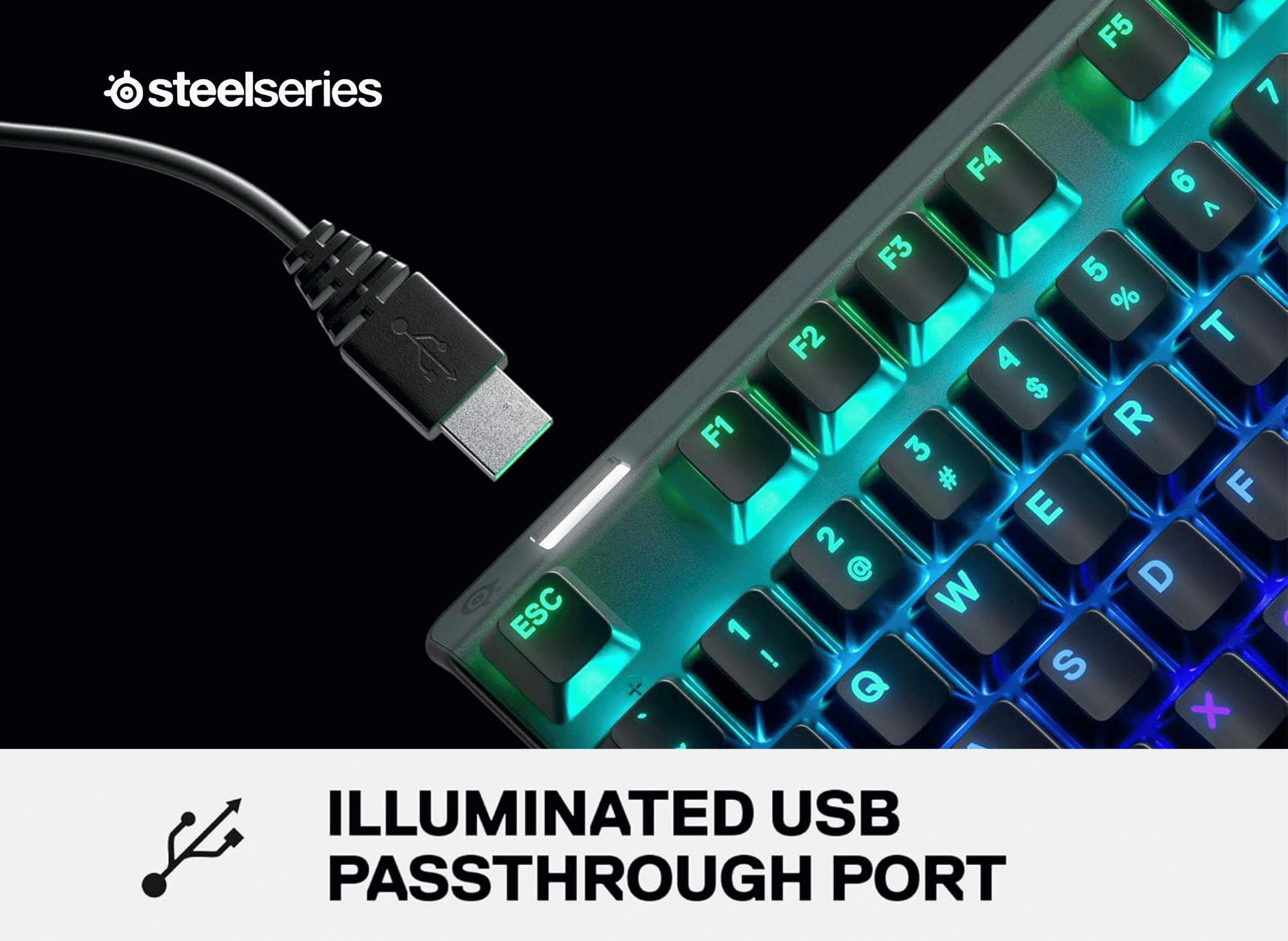
The Apex 7 connects via a standard USB cable, but it also features a USB passthrough port. This means you can plug your mouse, wireless headset dongle, or USB drive directly into the keyboard, along with other items, saving you from reaching behind your PC tower.
In terms of compatibility, the Apex 7 is versatile:
- Operating Systems: Windows (7 or newer) and Mac OS X (10.11 or newer).
- Consoles: Compatible with Xbox and PlayStation (via USB).
- Software: SteelSeries Engine 3.15+ is required for advanced features on Windows and Mac.
Comparison to Other Keyboards
When it comes to choosing a keyboard, the SteelSeries Apex 7 sets itself apart from the competition with its impressive blend of features and build quality. While many mechanical keyboards offer customizable lighting or sturdy frames, the Apex 7 goes a step further with its integrated OLED screen, which is another great aspect that allows for real-time updates and quick access to settings without interrupting your workflow or gameplay.
The aluminum frame of the Apex 7 not only looks sleek but also provides a level of durability that many plastic-bodied keyboards simply can’t match. Combined with the advanced SteelSeries Engine software, users have access to a wide range of customization options, from lighting effects to key assignments, making it easy to tailor the keyboard to your exact preferences.
Compared to other keyboards in its class, the Apex 7 delivers a more premium experience, both in terms of feel and functionality. Whether you’re looking for a keyboard that can keep up with intense gaming sessions or one that offers a comfortable and efficient typing experience, the SteelSeries Apex 7 stands out as a good choice for anyone who values quality, innovation, and versatility in their gear.
Pros and Cons
To help you decide if this is the right investment for your setup, here is a quick summary of the strengths and weaknesses of the Apex 7.
Pros
- Sturdy Build: The aluminum alloy frame offers premium durability.
- OLED Screen: A unique, functional feature for notifications and settings.
- Wrist Rest: The magnetic attachment is secure and comfortable.
- Typing Experience: Blue switches are excellent for typists who love tactile feedback.
- USB Passthrough: Convenient for connecting other devices.
Cons
- Noise Level: Blue switches are loud; not suitable for quiet environments.
- Cable: The cable is thick and non-detachable, which might bother minimalists.
- Price: It sits at a premium price point, although the features justify the cost.
Is the Apex 7 right for you?
The SteelSeries Apex 7 is a powerhouse of a mechanical keyboard. It successfully bridges the gap between rugged durability and high-tech sophistication. The OLED bright display is more than just a novelty; it’s a valuable tool for power users, and the build quality ensures that this keyboard will be a long-term companion on your gaming journey, making it worth every bit of investment.
If you are a gamer who also does a lot of typing, or if you love the loud, proud click of a mechanical switch, the Blue switch version of the Apex 7 is a fantastic choice. It offers the tactile satisfaction of a typewriter with the cutting-edge performance of modern gaming tech.
However, if you play late at night in a shared house, the noise of the clicky switches might be a dealbreaker. But for those who want their battlestation to look as good as it performs, the Apex 7 is a top-tier contender that is hard to beat for the money.
Thank you for reading!
Your friend,
Kelly
#SteelSeries #Apex7 #GamingKeyboard #MechanicalKeyboard #RGBKeyboard #SteelSeriesApex #GamingSetup #PCGaming #EsportsGear #ProGaming
🎮✨💻🎧🔥🌈⌨️🏆⚡🎯
Amazon Prime offers a wide range of products designed to cater to diverse customer needs, all with the added benefit of fast, reliable delivery. From household essentials and groceries to electronics, clothing, and entertainment, Prime members get access to exclusive deals and discounts across various categories.
Additionally, Prime membership includes access to services like Prime Video for streaming movies and TV shows, Amazon Music for ad-free music, and Prime Reading for eBooks and magazines. This comprehensive suite of benefits makes Amazon Prime a convenient and value-packed option for millions of customers worldwide.
- Prime for you, adult
- Free 30-day trial of Prime
- All of Prime, half the price.
- Prime Video
- Wedding Registry
- Kindle Unlimited
- Amazon Music
- Amazon Fresh Groceries
 Kelly Bandel
 Kelly Bandel
 Kelly Bandel
 Kelly Bandel
 Kelly Bandel
 Kelly Bandel
 Kelly Bandel
 Kelly Bandel
 Kelly Bandel
 Kelly Bandel
 Kelly Bandel
 Kelly Bandel
 Kelly Bandel
 Kelly Bandel
 Kelly Bandel